
Posted on

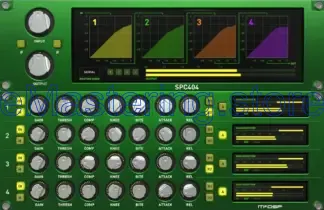
What is audio channel strip?

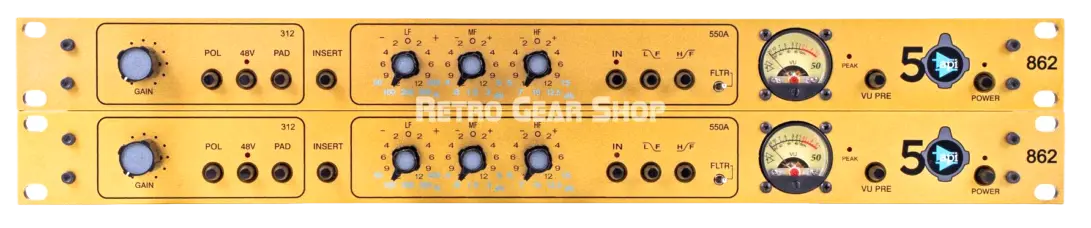
An audio channel strip is a signal-processing chain that combines several essential audio tools into one unit—either as a physical hardware device or a software plugin—used to shape and control a single audio signal (like a vocal, guitar, or microphone input).

Think of it as everything you need for one audio channel in one place.


🎛 What’s Usually Inside a Channel Strip?

A typical channel strip includes:

1️⃣ Preamplifier (Preamp)

  • Boosts low-level signals (like from a microphone) to usable levels.

  • Often adds character (clean, warm, vintage, etc.).

2️⃣ Equalizer (EQ)

  • Adjusts frequency balance.

  • Boosts or cuts bass, mids, highs.

3️⃣ Compressor

  • Controls dynamic range.

  • Reduces loud peaks and evens out volume.

4️⃣ Optional Extras

  • Gate/Expander – Reduces background noise.

  • De-esser – Tames harsh “S” sounds in vocals.

  • Saturation – Adds harmonic warmth.

  • High-pass filter – Removes low rumble.


🎚 Hardware vs Software

🔹 Hardware Channel Strip

A physical rack unit used in studios.
Example:

  • Universal Audio channel strips like the 6176.

Used before the signal enters the audio interface.

🔹 Software Channel Strip (Plugin)

A digital version inside a DAW (Digital Audio Workstation).
Examples:

  • Waves Audio SSL Channel

  • FabFilter Pro Channel plugins

Used during recording or mixing.


🎵 Why Use a Channel Strip?

  • Saves time (all tools in one plugin)

  • Keeps workflow organized

  • Emulates classic studio consoles

  • Provides cohesive sound shaping


🧠 Simple Example (Vocal Recording)

  1. Mic → Preamp (boost signal)

  2. EQ → Remove muddiness

  3. Compressor → Even out volume

  4. De-esser → Smooth harsh S sounds

All done within one channel strip.

Posted on

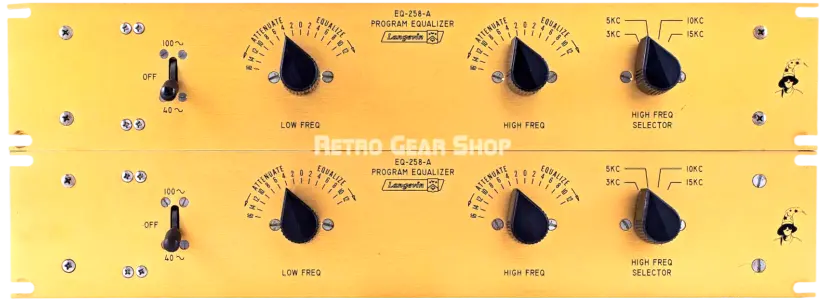
What is audio equalizer?

An audio equalizer (EQ) is a tool that lets you adjust the balance of different sound frequencies in audio. It helps you control how much bass, midrange, and treble you hear.

🎵 What It Does

Sound is made up of different frequencies:

  • Low frequencies (Bass) – Deep sounds like drums or bass guitars

  • Mid frequencies (Mids) – Vocals and most instruments

  • High frequencies (Treble) – Crisp sounds like cymbals and “s” sounds in speech

An equalizer allows you to boost (increase) or cut (decrease) specific frequency ranges to improve sound quality or match your preference.


🔊 Where Equalizers Are Used

  • Music apps like Spotify

  • Media players such as VLC media player

  • Car stereos

  • Home theater systems

  • Professional music production software


🎛 Types of Equalizers

  1. Graphic Equalizer

    • Has sliders for fixed frequency bands (e.g., 60 Hz, 250 Hz, 1 kHz).

    • Common in consumer audio systems.

  2. Parametric Equalizer

    • Allows precise control over frequency, bandwidth (Q), and gain.

    • Used in professional audio production.

  3. Preset Equalizer

    • Ready-made settings like “Rock,” “Pop,” “Jazz,” or “Bass Boost.”


🎧 Why Use an Equalizer?

  • Improve sound clarity

  • Adjust for different headphones or speakers

  • Enhance bass or vocals

  • Reduce harsh or muddy sounds

Posted on

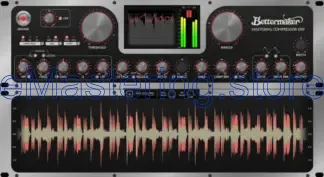
What is audio compressor?

An audio compressor is a tool that automatically controls the loudness of sound.

Think of it like a smart volume knob 🎚️:

  • When sounds get too loud, the compressor turns them down.

  • When sounds are quiet, they stay the same (or can be boosted later).

What it actually does

A compressor reduces the dynamic range — the difference between the quietest and loudest parts of audio.

So instead of:

  • whispers → explosions 💥

You get:

  • everything sitting more comfortably together 👌

Why people use compressors

  • Music production: vocals sound smoother and more consistent

  • Podcasts / streaming: voices are easier to hear

  • Film & video: dialogue stays clear even during action scenes

  • Live sound: prevents sudden loud spikes that hurt ears or speakers

Key settings (in plain English)

  • Threshold – the volume level where compression starts

  • Ratio – how much the loud parts get reduced

  • Attack – how fast the compressor reacts

  • Release – how fast it stops compressing

  • Makeup gain – boosts the overall volume after compression

Simple example

If someone suddenly shouts:

  • Without compression: BOOM 😵

  • With compression: loud, but controlled 😌